Exploring – Network Design in the Azure Architecture Center

One of the most common deployment, and as a result, design requirements in Azure, is Networking. Within all environments, not just Azure, Networking is critical. It is of upmost importance to get the design right, and get it right early.

However, if starting out on Azure, or potentially looking to progress to a more complex design based on requirements, Networking can be challenging. Not only is it a vast component of Azure, it has some of its own quirks in comparison to your on-prem environment. From experience, I have seen this lead to incorrect assumptions and frustration once a design is finally in use.

However, good design can obviously be somewhat subjective. For example, avoid discussing naming conventions for Azure on Twitter/X! (I joke…) But what can really help is to follow or at least begin with best practice. For Azure, this is thankfully centrally located for you on Docs. I know it’s called Learn now, but I will forever call it Docs – the difference it made to us all when it launched means it has my loyalty forever! Below is an image from Ignite 2018, where Docs was launched, and I spent more time than I’d like to admit winning one of those mascots. A mascot my small dog subsequently got hold of and made short work of unfortunately.

There is a wealth of information on the Azure Architecture Center, I’ve linked to Networking, but you can see there are many other sections covering all aspects of Azure. My new favourite indicator of content depth on Docs is the “Download PDF” button. For Networking alone, it is 257 pages!

Specific to Networking, it is broken into three sections:

  • Explore ideas about
  • Design Architectures
  • Apply Guidance

Explore ideas about

Here is where you will find specific and complex concepts – for example Video capture and analytics for retail. These are meant to serve as both a start point and potentially a comparison solution/concept. Architects should use these as references and examples of what is possible.

Design Architectures

This is divided in two:

  • Network Topology – Here you will find high-level architectures, example arrangements of network components and best practice guidance for knitting your network fabric together.
  • Network Security – Same idea here, guidance and some specific Security scenarios.

Apply Guidance

This is the big section. It contains expansions and further guidance on the previous sections. This has some of the most useful guidance, whether you are starting out with Azure or not. One of the most useful articles for me is Network Level Segmentation.

This article helps form your understanding and design for nearly all other patterns. It’s crucial to good network design on Azure.

The other article I would recommend or even go as far as to suggest it as required reading is Spoke-to-spoke networking. Everything you need for Virtual Network design is covered in these two articles.
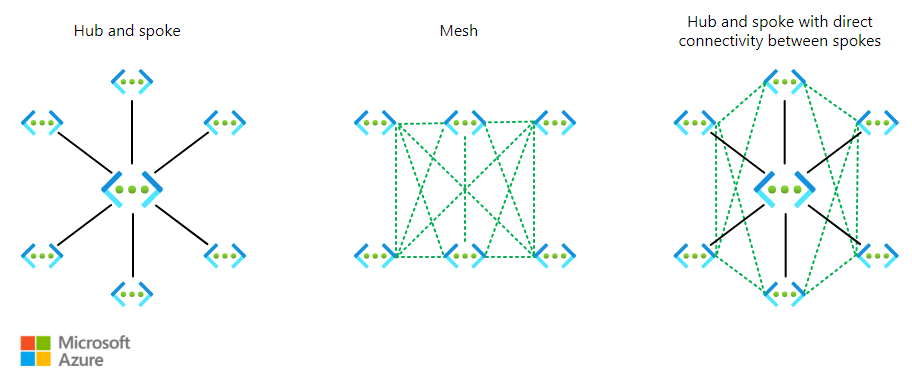
Why this central documentation is useful?

Azure Architecture is challenging. It changes regularly, new services, updates to old ones, can change design principles. Keeping up to date, applying the latest best practice, and being confident in a performant and well designed solution is important. Docs help with this. A huge amount of work is put into these web pages. They are your first point of call for new detail, they are your sanity check on something you can’t quite remember, and they are your older sibling, backing you up if/when you are questioned on a design decision. Use them – always.

Did you know you can contribute?

One final point – you can help make Docs better. You can fix an item you have spotted that isn’t correct, or simply suggest an improvement. Microsoft have written and maintain a full guide here – Overview of editing documentation on Microsoft Learn. For anyone familiar with GitHub, this will be simple for you. For anyone who would like to get familiar with it, this is a great entry point!

As always, if there are any questions, get in touch!

How to – Design a Virtual Network with Microsoft Azure Copilot

Having access to Microsoft Azure Copilot has been really interesting. On one hand, the use cases are almost limitless, essentially a choice of what do you want to try do with it? On the other, there is still work to be done to maximise its potential (acknowledge by Microsoft throughout use in fairness).

Working with any of the ‘Copilots’, one important element for me is to get a grounded understanding of what it is capable of, based on something I am an expert on. I cannot tell how good it is if I am asking it help with something I don’t know arguably better than it does. So – let’s I decided to push it with a Virtual Network.

My objective when starting this post was to hopefully reach the point where one single, detailed prompt would spit out an acceptable VNET design statement, perhaps even the code to build it, but that part was less important to me right now. Anyone can create a good Azure design right? 🙂

I am first going to outlay my thinking with respect to a VNET, it’s purpose, my security posture, connectivity requirements, and likely workloads. Rewording this into a statement that is aligned to the Cloud Adoption Framework, and Azure Network Architecture details.

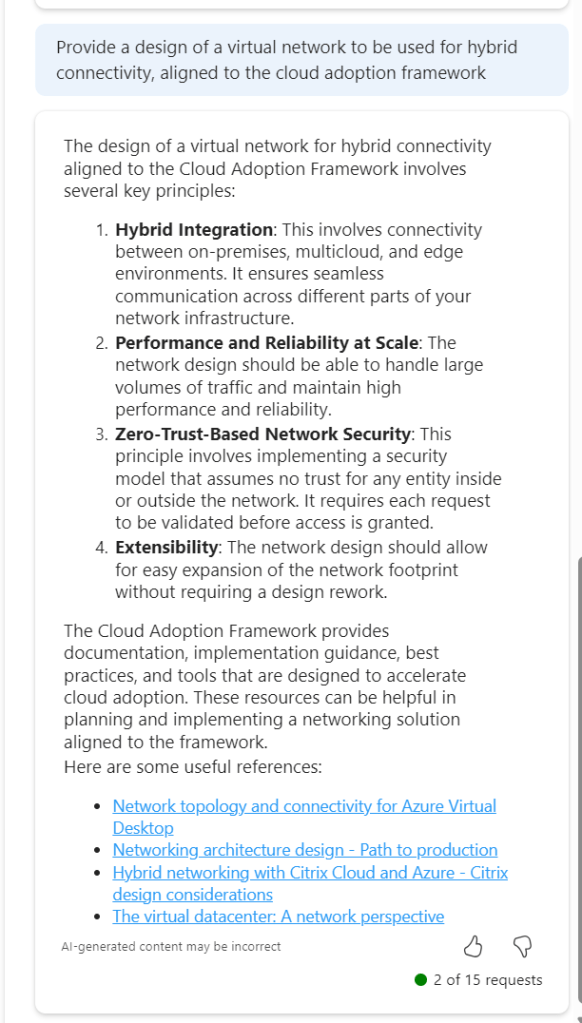
To get a baseline of a basic prompt, I started with the below. I believe this helps work towards the ‘best’ prompt.

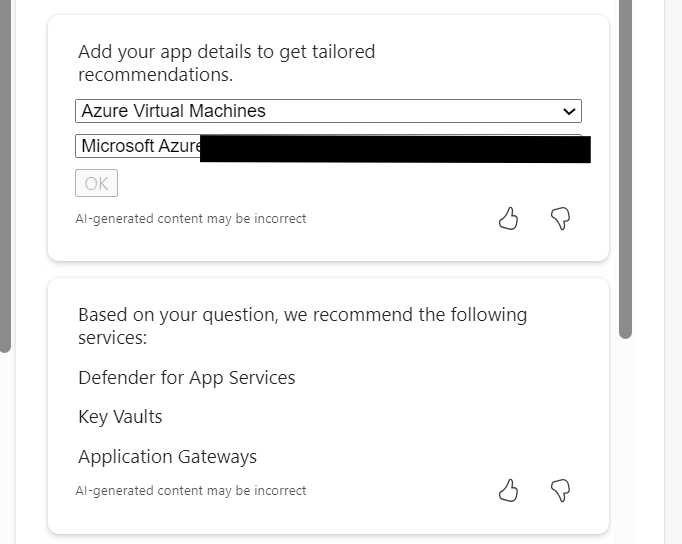
So this jumps all over the place. We have perimeter references, AVS and App Gateway all mentioned. Not ideal. But I did ask for an example, and it does provide links. So let’s tighten our prompt.

This is much better, proper sequential statements, however that third link to hybrid with Citrix is irrelevant. Now, as Copilot functions in a chat method, let’s use this prompt and response to expand detail.

So this approach doesn’t work. When you select the (perhaps) relevant items, the output is not aligned to the original ask.

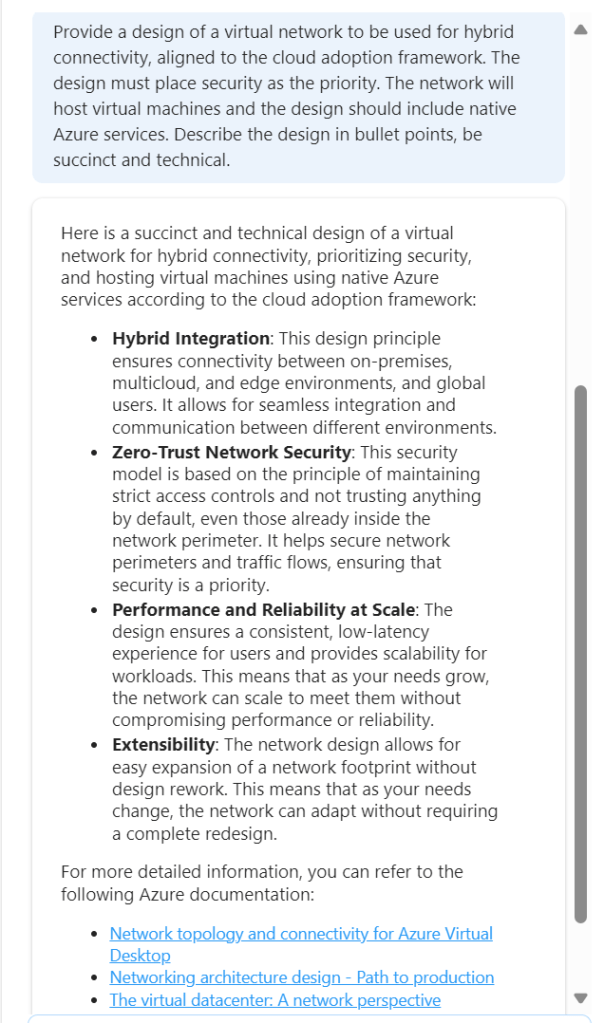
So – let’s try this another way. We know the first recommend prompt returned good results. Rather than continue in a chat-response format, let’s try one very specific prompt. To ensure no confusion – I started a new chat for this.

This is better, but to be honest – I am not looking for design principles like ‘zero trust’. So we need to adjust the wording. Again, I have started a new chat for this.

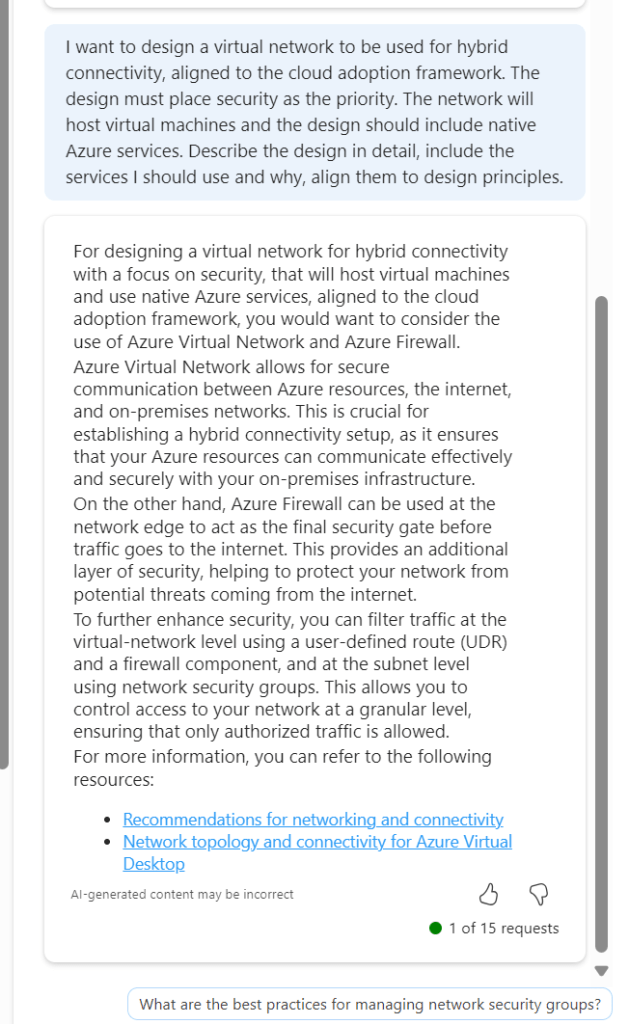
Now we are getting somewhere. If this had included Bastion I would have ranked it 9/10. The first link is good, second link is not so this scores a 7/10 for me. It is a great improvement on previous asks, and I am trying to ask as few leading questions as possible. I tried another following response to get some more detail

Again, the general detail is good, but the links are hit and miss. This could introduce some confusion. I tried another follow on from this, but again it went a different route based on my existing subscription services.

Rather than say this didn’t work, I think I have set out with a task that isn’t really achievable at present. There are so many elements that require consideration, some sequential, some overlapping, some interdependent, that a single chat response is going to be very difficult if not impossible. At the same time, repeat responses are also challenging, especially when you’re not looking for something relevant to what you currently have, but aligned to best practice.

Overall, I think Copilot for Azure is improving every month, and the use cases are constantly expanding. However, I don’t believe, based on current functionality that it will be able to fully assist with design guidance and decisions, beyond providing principles and guided links. For the real design work – you will still need an expert 😉

How to – Implement Good Design Using Azure Architecture Center

Cloud platforms like Azure make designing solutions as efficient as possible. Whether it’s a serverless application or a chunky virtual datacenter, you can get up and running in no time. This however, has both positives and negatives. The negatives often being that this level of pace can mean bad design decisions are made.

Bad design doesn’t always happen due to pace either. Sometimes it is as simple as a solution evolving from proof-of-concept directly to production. We have all seen it happen! This means the correct resiliency, governance and performance criteria are often missed.

To avoid both of the above scenarios, my advice is to shift your thinking when it comes to Azure projects/solutions. Be prepared to spend 80% of your time on design. Delivery, as we already said can be lightning quick, there are few barriers to an efficiently delivered solution if designed correctly.

Thankfully, Microsoft offer an entire site worth of content to help with all of this. The Architecture Center is your first stop for all things design within Azure. Here you will find application architecture guides, cloud adoption frameworks and reference architectures for all of the common scenarios seen in Azure.

I am going to briefly look at three sections that can help with all of your deployments:

Best Practices – Naming Convention

This section covers exactly what you would expect. However, naming conventions are not as easily implemented in Azure as you might expect. One key point being, you cannot rename resources. Therefore, get your naming convention agreed upon and stick to it! https://docs.microsoft.com/en-us/azure/architecture/best-practices/naming-conventions

Application Architecture – Choosing Compute

Did you know there are three tiers of compute in Azure?

  1. IaaS – traditional VMs
  2. PaaS – managed hosting
  3. FaaS – ignore hosting, just code

Offering an excellent design-tree, you can understand quickly what decision could be the right fit for your solution then explore in more depth.

https://docs.microsoft.com/en-us/azure/architecture/guide/technology-choices/compute-overview

Reference Architecture – Serverless Web App

One of my favourite sections, covering multiple scenarios. Each offering best practise design and decision points regarding availability, security and scalability. Some cases also offer reference implementations on Github, meaning you can deploy right away.

https://docs.microsoft.com/en-us/azure/architecture/reference-architectures/serverless/web-app

So what are you waiting for? Head to the Architecture Center and start designing your next deployment with more confidence right now!