From Ops to C-Level – AI Adoption in Practice – Festive Tech Calendar 2025

Introduction

It’s great to be back for another year of the Festive Tech Calendar. Always an excellent event across the month of December, and looking through the schedule, it is an amazing year of content. Kudos to the team for all the work they put in, and thanks for having me again!

This year, I’m continuing my AI adoption theme, but expanding it slightly beyond the scope of Azure, and taking a bit of a ‘business via tech’ approach. This is for a couple of reasons; first, I think AI has changed in the last 12 months, and second, I think the way everyone approaches it also has. This might seem simple, but in reality, or in practice for an IT decision maker – it really isn’t. So, I thought I would share some learnings from where I have seen things work well and work not so well!

AI Opinion

This of course all starts with AI. If you don’t know what that is, I would be slightly worried as to how you found yourself reading this… but AI isn’t just one thing anymore, and to be honest, it never was to begin with.

The GPT models have become the Google of search engine colloquialism for common users – ‘just ask ChatGPT’ etc. This is great for awareness, but also no doubt frustrating for the teams creating Copilot, Gemini etc. Even more frustrating for the teams responsible for the original Azure AI Services (Cognitive Services – remember that!?). That brings me onto my next point, and one of the key challenges with AI adoption I have seen – AI isn’t just generative and the perception gap that opens up.

AI ‘Types’ I Think are Relevant

For most users, working with an AI assistant of some sort, is the majority of AI interaction they will have. So general and/or company based knowledge helping users find or create content that assists with work. I genuinely haven’t seen any work setting where stupid images etc are being created, so don’t believe the hype or prevalence of that based on social media.

Next, a subset of your user base may use more tuned AI assistance. Think Github Copilot as the example here. Chat based, powerful and specific AI based assistance. This is often seen as a more impactful ‘upgrade’ to a user/teams skillset, but much less clearer in terms of adoption requirements.

Then we move into the one-to-many AI – agents. A huge range of options here and with the capabilities in Azure AI Foundry, a near endless set of use cases. From experience, I’ve seen these used to take on one information source, or one task. These work well, roll out rapidly and require little to no real guidance. I have also seen attempts at multi-agent frameworks/workflows with less success, and finally very few agents that take action without explicit supervision. Take an over simplistic example – “Write a reminder email for the upcoming meeting and send to all attendees, cc my boss” you need serious confidence in that agent to handle information as you need it to.

Finally, there has been large scale adoption of AI within systems or existing applications. However, don’t mistake large scale adoption with actual success of AI. This is easily the example where I have seen the most ‘AI washing’ – reinventing some existing feature by calling it AI. This part really bugs me, as I believe it is driving up costs of already expensive systems, while also interrupting roadmaps of upgrades, fixes, new features that could have more impact.

Ok – let’s get into some points around adoption in practice. Ultimately I’ve seen it boil down to a balance of use case vs blockers. If you can outdo the list of blockers, and the use case is valid – success. Now I have drastically simplified that, but let’s start with blockers, so we can start to see the meat of the issue.

Blockers

When C-level look for AI adoption, they think of productivity return-on-investment, people management, time to market, and competition. This is no different than any other type of adoption, but I think AI carries a much tougher perception problem. In a presentation back in the Summer, and in every AI discussion since, I have discussed and named this as the ‘surely gap’.
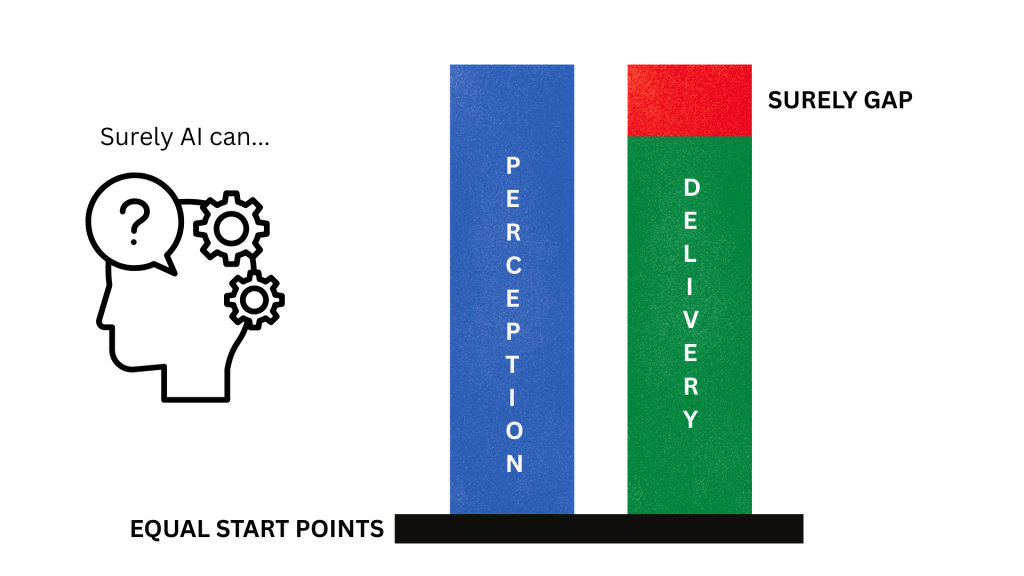
Without exception this is the number one issue derailing AI adoption. If you cannot address the perception issue early, you are doomed to have a project that will be viewed as not meeting expectations, disappointing, or even a failure. Even though AI might be delivering 50-80% increases in productivity, output, or accuracy etc. The second you hear “Surely AI can solve this, surely AI can create that, surely AI can remove that team – you are surely, in trouble.

Flip the approach to the ops team, or IT people. I see two equal priority issues:

  • Bad data projects – “I’d love to use AI, but our data isn’t ready” – this is either a security issue, or a compliance issue, or both. Often it can be as simple as permissions and structure of data, commonly an issue in any SharePoint online environment that has been around a while. Plenty of simple work can address this, but the fear of sensitive data being exposed will put the brakes on any AI work. Now a positive swing here is perhaps you can now get that data project budget based on AI, but it’s still a significant challenge.
  • Sprawling use cases – this is causing more of a compliance and regulatory issue, with no real resolution I have seen, only mitigation via policy. Take a system that can do five things, but your users only need two of them. So you risk assess and secure those two. However, if you can’t disable the other three features, users can simply use them if they wish. And it might not be as simple as features, it becomes more complex with generative AI. I expect changes in monitoring, analytics and feature decoupling to come as the EU AI act takes hold.

Lessons Learned

The first challenge with any blocker is knowing about it. Once you know about a problem, you can start to formulate a plan to solve it. And with the blockers I’ve outlined, you can probably already guess some solutions.

First and most important in my experience is dealing with the perception issue. I view AI as the least IT project a company can take on at present. Something like Copilot has little to no real IT or Ops work to configure it. License the user – milestone complete. But if an Ops team is given this as a project it can miss the real beginning an end of the project – perception and adoption.

Address the perception up front – why do we need AI, what will it do, what does good look like? Work backwards, and pick use cases that have simple, measurable outcomes.

Plan the adoption the second you have defined use cases – targeted users, timeframe, and a cadence of revisit. Most AI usage requires habit forming of some sort, adoption plans need to promote and push that.

In terms of Ops challenges, the most important lesson I have learned is get the team onboard, and get them out of the way. AI has the worst risk of shadow IT and data leakage I have ever seen. Users will want to try and use it. Give them something early, give them something decent and give them guidance. Then and only then – block everything else you can.

My Wishlist

This is tricky, but maybe not too complex. Instead of a list, I think I would push for one change and one change only – greater awareness or understanding of how to align a use case and capability. Nobody thinks email is the entire answer to their comms requirement, and they aren’t disappointed when it can’t do instant messaging or video calling. I know that isn’t necessarily a fair comparison, but if we can get AI understanding closer to that, I think it will greatly improve not only the adoption rates, but the success of AI projects.

I have another point on cost, and probably several points on environmental impact, but they are at least a blog post each. Perhaps something on that in Azure Spring Clean 2026…

In Closing

To close I will convert my opinion to a simple list:

  • Speak to your stakeholders, gather opinions and use cases. Identify enablers and detractors, plan for both.
  • Pick your use cases, always start with the simple ones that have measurable confirmed outcomes.
  • Address Ops concerns, get the team onboard for rollout. Create your plan for enablement and adoption.
  • Meet your stakeholders again, get the use case and outcome crystal clear. Leave no room for the ‘surely gap’
  • Rollout and continuously adopt. Revisit use and the use case. Evolve the plan as the use case does.

Microsoft Copilot in Azure – Networking Edition

Welcome all from Azure Back to School, another year and another excellent community event from the guys behind the scenes. And a thanks to the event sponsors Captain Hyperscaler and Trace3.

For this year, I have decided to combine my favourite tech – Azure Networking – with the buzziest tech of the moment – Copilot. Specifically of course, Microsoft Copilot in Azure.

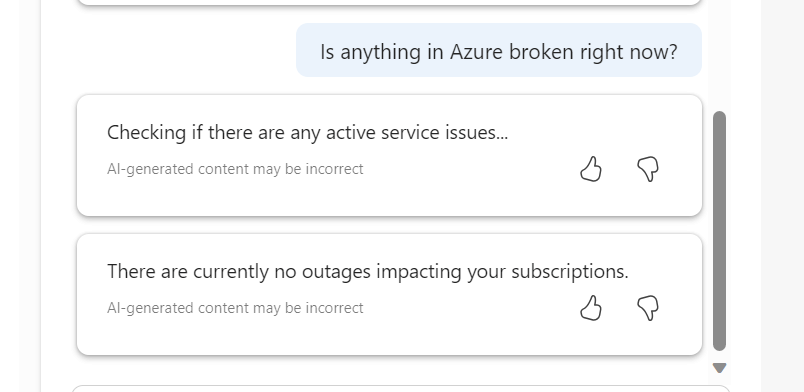
For those not familiar with this, or Copilot of any form, essentially it is an AI assistant. Microsoft are aiming to make these services as integrated as possible. So, you see Copilot logos, chats, prompts etc built into portals and applications to help make engagement with the service as seamless as possible.

Screengrab of Copilot for Azure chat window

Copilot in Azure, is exactly as it sounds, an AI assistant focussed on Azure. It has mixed capabilities depending on what you are trying to do. It is currently in Public Preview, at no additional cost, so I would recommend making use of it for assessment purposes, if it is of interest to you.

There are a base set of use cases as below, so I want to explore how practical these are across some common Networking services.

Let’s start with Virtual Network!

Design – I’ve actually already covered an attempt at this here – How to – Design a Virtual Network with Microsoft Azure Copilot

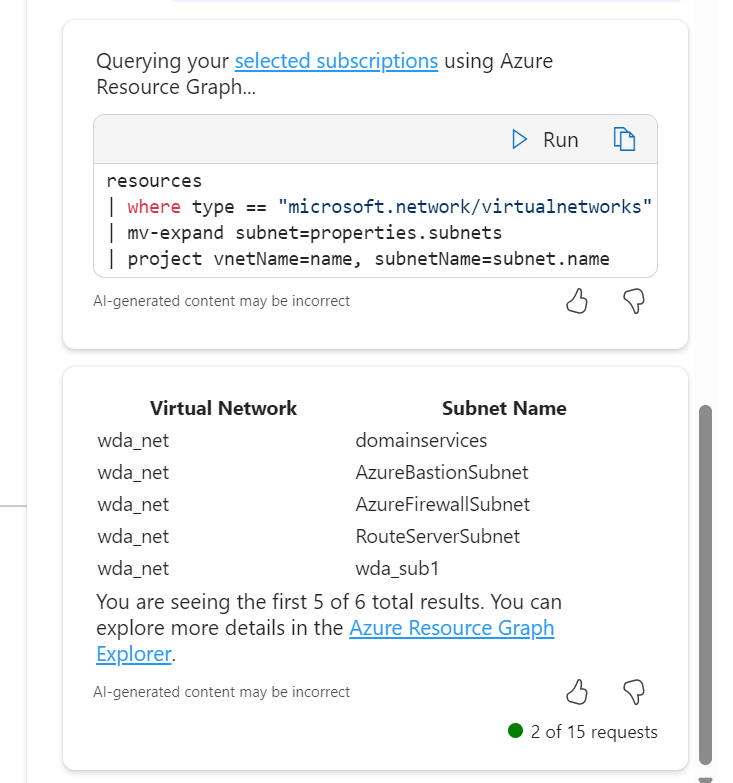
Operate – I tried some basic queries, and they worked quite well actually. It defaults to Resource Graph queries to convert your ask to something tangible.

What I like here, and where this service has improved since launch, is the follow up suggestions are now based on capabilities and aligned to previous asks, so I now get:

Choosing the subnets ask, it outputs via Resource Graph, a nice list for me however I was expecting it to include the address ranges, not just the names. However, a follow up ask displays them no problem.

Optimise – This one is trickier. A limitation here is me working within my demo environments, which have either limited functionality, or are configured exactly to best practice. Here was the set of questions I tried and answers I got:

  • Are there any active recommendations for my virtual networks
    • There are no active alerts in resource group rg_network for resource type microsoft.network/virtualnetworks
  • Can you show me the metrics for my virtual networks?
    • Responded with a table of all possible metrics, but no details linked to my resources
  • are there any reliability improvements I could make to my virtual networks
    • Responded with a list of best practice recommendations and reference links again not related to my resources.

I think one of the challenges here is the prompt and possible output. There isn’t really enough information or intelligence to be able to respond. For example, if I phrased a question similar to “are there any improvements I could make to my virtual network address ranges” It doesn’t give anything specific to my virtual networks, just accurate best practice advice.

Troubleshoot – So I don’t have a specific issue to ask it about, so I looked for what might be useful, maybe something you don’t know about!

Neither are great responses to be honest. As at least the second was a question I thought would allow for query generation. I couldn’t find a useful one here for this use case, which is a shame, but my guess would be this improves over time, perhaps as it is able to better work with Azure Advisor.

Next, let’s take a look at a Public IP

Design – I know this won’t take information from my own resources, so this just helps with best practice guidance. I went for a question I think most people, even some who have worked with for Azure for a while aren’t sure about and I was impressed with the response. Good examples, excellent awareness and detail in my opinion.

Operate – For this use case, I tried some knowledge gathering queries. I was most impressed with the below. Clever query creation, accurate result, clear (enough) presentation. Exactly what you need for at scale work like this. Not sure why it added Location, but no harm done!

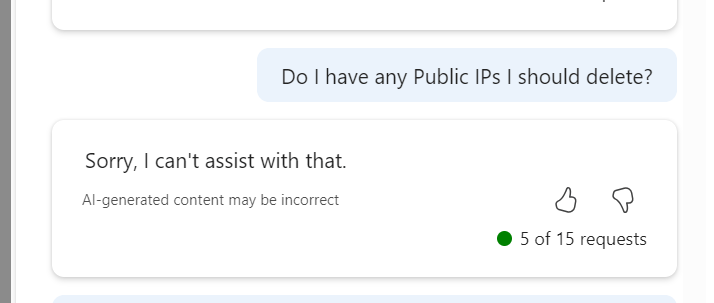
Optimise – Starts getting tricky here. I know there is little that can be done for say Cost or Performance, and there are so maybe contextual questions that could be better with more context, like asking for ‘orphaned’ IPs instead of the below

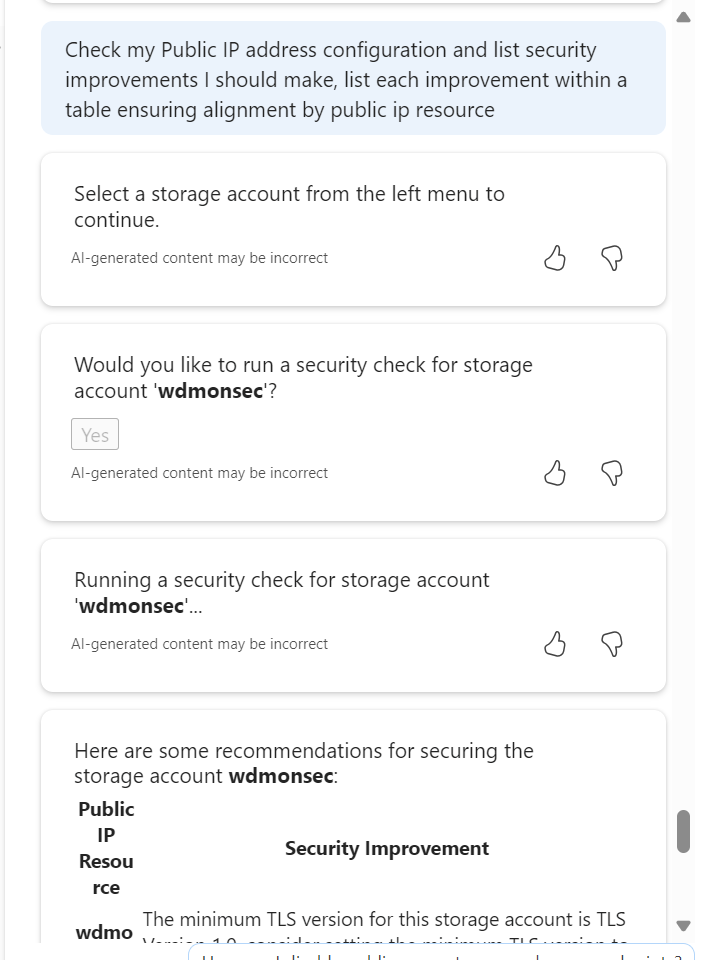
I tried a security configuration check and recommendation prompt, but it somehow lost its way and prompted to choose a Storage Account, I did, and it gave accurate recommendations for that. Confusing how that happened, but also the output is what I wanted, so kinda half correct?

Troubleshoot – Basic but effective, C minus.

I think I started to crack the best prompt methods at this point in the article research. I quite like this format and output, but I am aware this requires advanced knowledge of the resource and options in advance of prompting. It also got the associated resource part wrong, that’s an orphaned IP I have been working with.

Finally, let’s look at Network Security Group

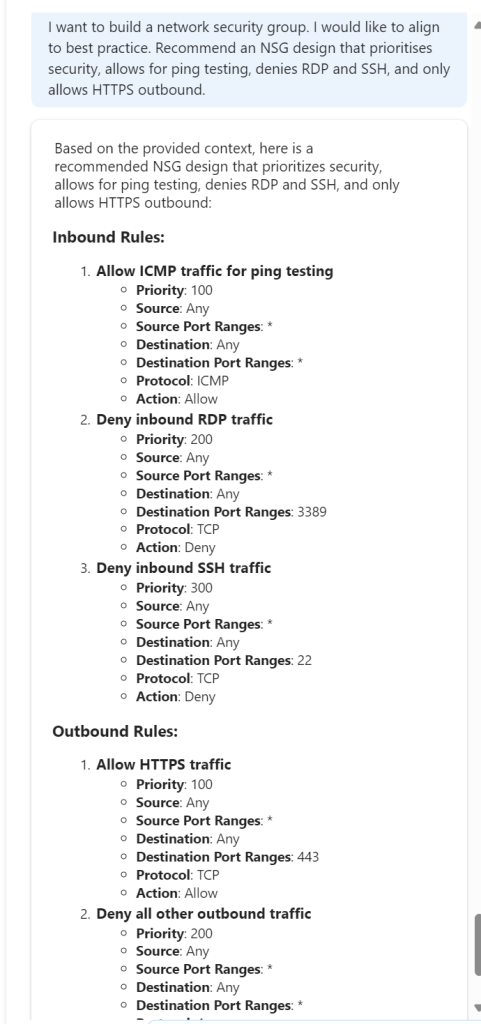
Design – This is difficult in one way. You can build an NSG with nearly no configuration, just name and location. And that ticks a Defender for Cloud box, if you attach to a subnet etc. But generally there is more configuration, so I thought how could this help me? Well what if I give it my needs and see can it give the right logical output…

Nice! Now, can it help me build it?

Colour me impressed – this was my best interaction to date. Clear, accurate and usable.

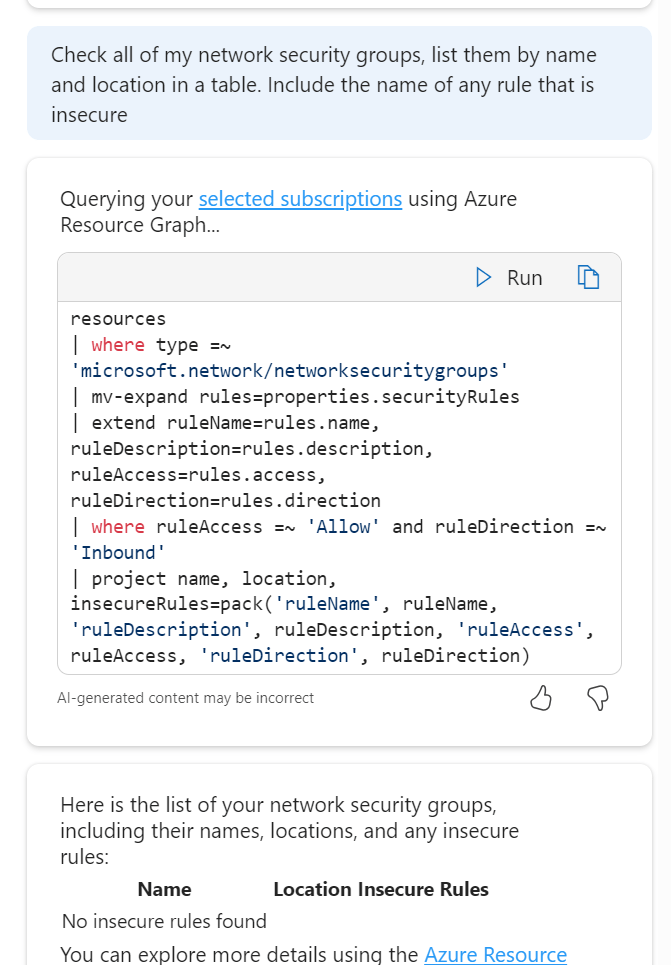
Operate Optimise Troubleshoot- A triple whammy as I started to drift across the lot at this point in terms of use case. I wanted to try queries that would help me work with NSGs both day to day and in a potential high stress situation. So I started with this:

So it took my context and decided that a rule that has allow enabled and a direction of inbound would be insecure, fair enough, or at least worth checking in on. Comes back with the correct answer! So, I switched up a few rules on my NSGs to allow all inbound from any source etc. The Portal flags this is as a dumb decision, let’s see if Copilot spots it.

Nope – odd result there. So I tried it a different way. Again, this means I have to know more advanced detail, but nothing you wouldn’t pick up quickly as you upskill.

Output correct! They are the three rules I switched up. It didn’t directly get my port element right, but that just needs a more accurate prompt. I think one logical approach for actual operational queries is to think in pseudo code, and in steps, allowing it work to your meaning quicker. Essentially avoid prompts like – ‘any rules giving off bad vibes in my NSGs? Respond in iambic pentameter’ – they don’t work and let’s be honest, are weird.

To wrap up – I like Copilot in Azure now. I have found multiple use cases that would actually help me work day-to-day. However, would that work be quicker? I am not sure. I feel like I would need to build up a prompt library. And if I was doing that, why would I not just use Resource Graph queries instead? Quicker, more accurate etc. Also, some of the knowledge levels required don’t allow it to be most useful to the people I think it should be useful to – Azure newbies. Design and advice sure, actual hands-on resource work appears to require more contextual knowledge.

Some helpful links to hit up for Copilot in Azure:

Overview

Responsible AI FAQ

Example prompts

Manage access – will become more important depending on your use cases, the cost when it hits GA etc.

As always, get in touch if you have any questions, or even if you have prompts you want to chat about! And don’t worry, I reverted those terrible rule changes right after testing 🙂

Don’t forget to check out all of the other content throughout the month over on Azure Back to School!

wedoAI 2024

Something a little different…

Head over to https://wedoai.ie to checkout a new online event that just launched on August 22nd.

The idea of this event is to promote learning and sharing of knowledge within the Microsoft AI community. To achieve this, we have community driven articles that highlight best-practises, lessons learned, and help with some of the more difficult topics of Microsoft AI.

For anyone familiar with Azure Spring Clean – you will see some similarities!

How to – Design a Virtual Network with Microsoft Azure Copilot

Having access to Microsoft Azure Copilot has been really interesting. On one hand, the use cases are almost limitless, essentially a choice of what do you want to try do with it? On the other, there is still work to be done to maximise its potential (acknowledge by Microsoft throughout use in fairness).

Working with any of the ‘Copilots’, one important element for me is to get a grounded understanding of what it is capable of, based on something I am an expert on. I cannot tell how good it is if I am asking it help with something I don’t know arguably better than it does. So – let’s I decided to push it with a Virtual Network.
My objective when starting this post was to hopefully reach the point where one single, detailed prompt would spit out an acceptable VNET design statement, perhaps even the code to build it, but that part was less important to me right now. Anyone can create a good Azure design right? 🙂

I am first going to outlay my thinking with respect to a VNET, it’s purpose, my security posture, connectivity requirements, and likely workloads. Rewording this into a statement that is aligned to the Cloud Adoption Framework, and Azure Network Architecture details.

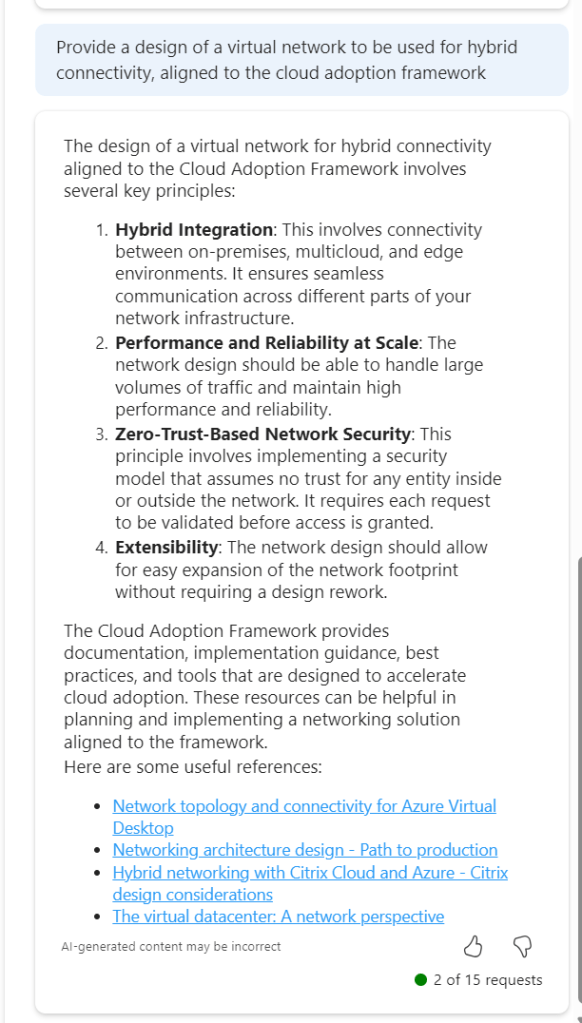
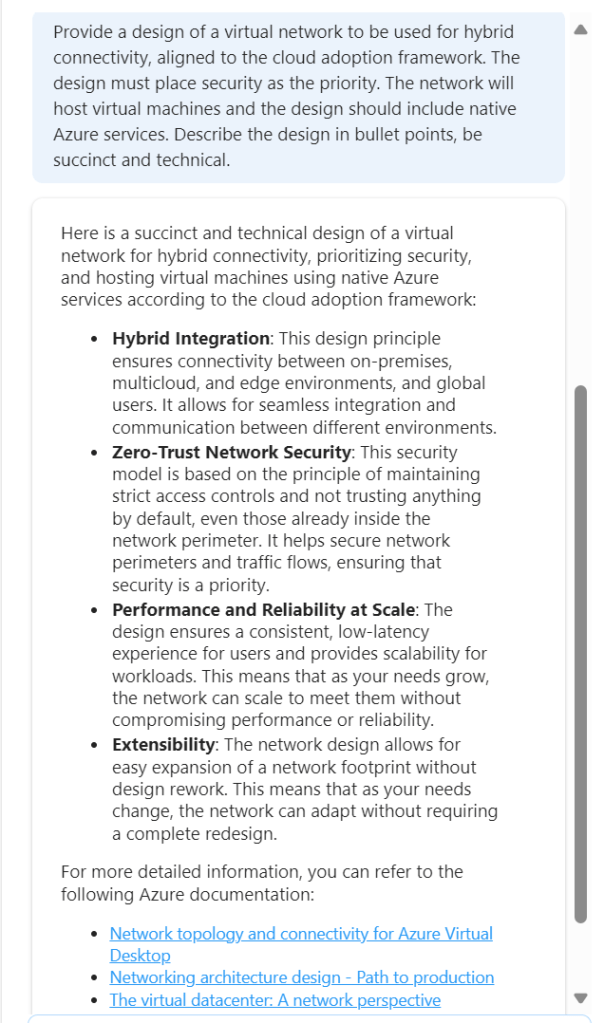
To get a baseline of a basic prompt, I started with the below. I believe this helps work towards the ‘best’ prompt.

So this jumps all over the place. We have perimeter references, AVS and App Gateway all mentioned. Not ideal. But I did ask for an example, and it does provide links. So let’s tighten our prompt.

This is much better, proper sequential statements, however that third link to hybrid with Citrix is irrelevant. Now, as Copilot functions in a chat method, let’s use this prompt and response to expand detail.

So this approach doesn’t work. When you select the (perhaps) relevant items, the output is not aligned to the original ask.

So – let’s try this another way. We know the first recommend prompt returned good results. Rather than continue in a chat-response format, let’s try one very specific prompt. To ensure no confusion – I started a new chat for this.

This is better, but to be honest – I am not looking for design principles like ‘zero trust’. So we need to adjust the wording. Again, I have started a new chat for this.

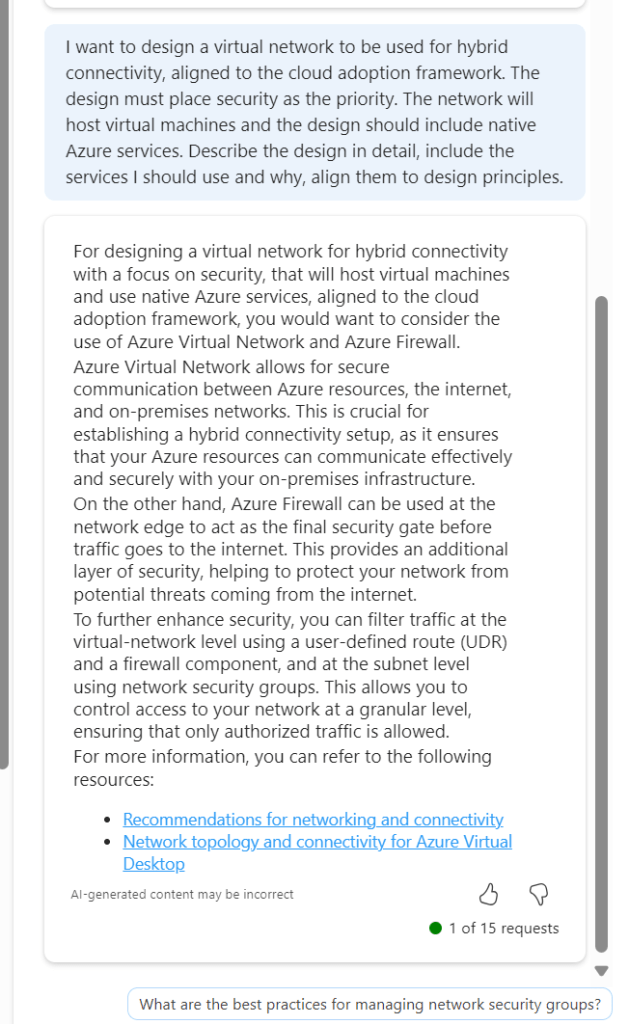
Now we are getting somewhere. If this had included Bastion I would have ranked it 9/10. The first link is good, second link is not so this scores a 7/10 for me. It is a great improvement on previous asks, and I am trying to ask as few leading questions as possible. I tried another following response to get some more detail

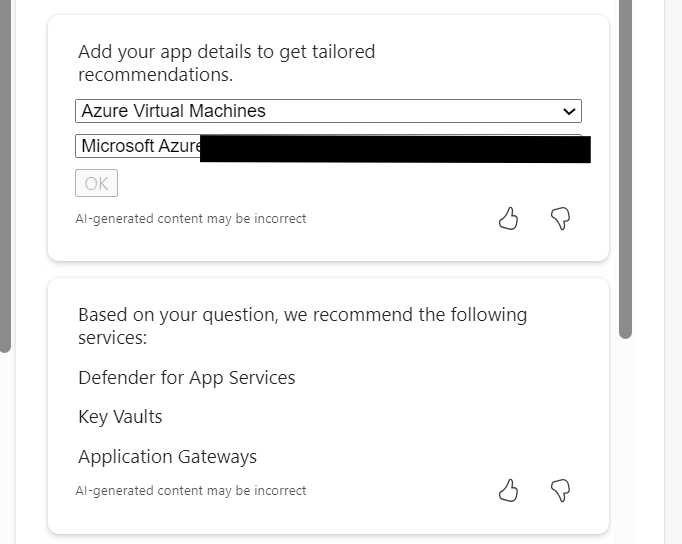
Again, the general detail is good, but the links are hit and miss. This could introduce some confusion. I tried another follow on from this, but again it went a different route based on my existing subscription services.

Rather than say this didn’t work, I think I have set out with a task that isn’t really achievable at present. There are so many elements that require consideration, some sequential, some overlapping, some interdependent, that a single chat response is going to be very difficult if not impossible. At the same time, repeat responses are also challenging, especially when you’re not looking for something relevant to what you currently have, but aligned to best practice.

Overall, I think Copilot for Azure is improving every month, and the use cases are constantly expanding. However, I don’t believe, based on current functionality that it will be able to fully assist with design guidance and decisions, beyond providing principles and guided links. For the real design work – you will still need an expert 😉

Exploring: Microsoft Copilot for Azure

Recently, I was lucky enough to gain access to Microsoft Copilot for Azure as part of a limited preview. For anyone who missed the announcement at Ignite, here is what Microsoft describe it as:

Microsoft Copilot for Azure (preview) is an AI-powered tool to help you do more with Azure. With Microsoft Copilot for Azure (preview), you can gain new insights, discover more benefits of the cloud, and orchestrate across both cloud and edge. Copilot leverages Large Language Models (LLMs), the Azure control plane, and insights about your Azure environment to help you work more efficiently.

So – what does that mean in practice? For me, this means reading the docs, then getting stuck into actually trying elements of this out. To be transparent, I had low expectations for this service. I am not 100% sure whether it is aimed at me, or someone with less Azure experience. I was also conscious that this is the limited preview I am working with, so there will be some oddities.

First up, the integration into the Portal UX – I like it. It’s simple, and consistent. As it is a tenant level service, it stays in place as you jump around the Portal from a Subscription to a Resource to Entra ID for example.

Next, what can I use this for that is quicker than me doing this myself? I will be honest, I struggled a bit here. This is for two reasons. One, this is enabled in my MVP tenant, so I have very little Production or day-to-day work to be done. Two, I was looking for something interesting rather than ‘tell me how to build a VM’.

So, I started with a question I know the answer to, but anyone who follows #AzNet knows we are all dying for progress on…

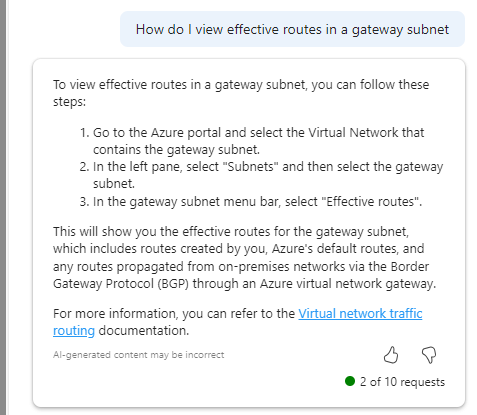
Imagine my surprise with how confident that response is! OH MY GOD I FOUND A THING. Well no, it doesn’t work. And I have no idea what it means in Step 3. If you find out – please let me, Aidan and Karl know, thanks 🙂 But I do like that it attempts to back up its answer with links to documentation.

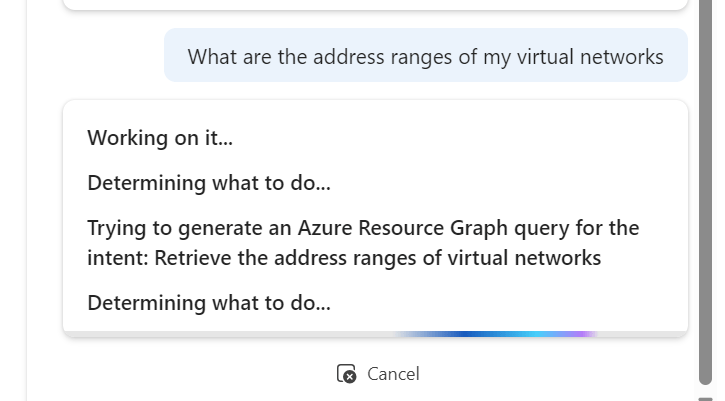
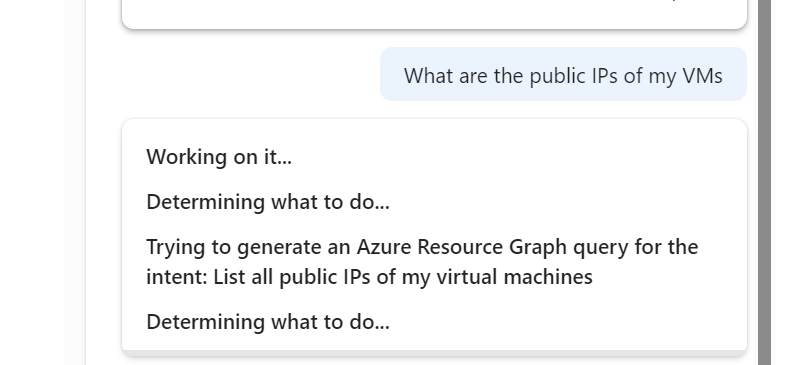
As you make requests, it dynamically updates the text to tell you what it is ‘thinking’ which I really like.

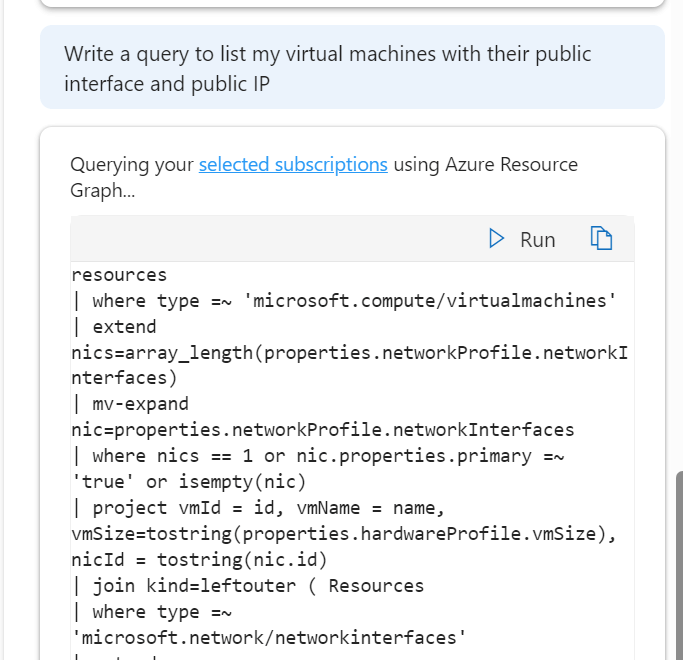
And that ability to write queries, is a real winner for me. saves a lot of time, but you need to be quite specific with the ask and detail, but that’s no real surprise at this stage.

I do like its ability to take quite a non specific question and offer a decent and useful output in response

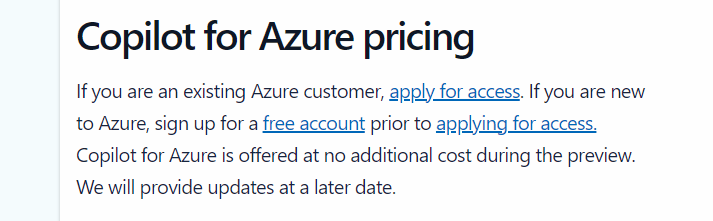
However, I am finding myself trying to find things for it to do. This is OK during preview, where there is no additional cost, however, it’s not clear on what pricing will actually be just yet, vague language on the landing site makes me think this will be charged for

Overall, I think it’s a welcome addition to the AI assistant space from Microsoft. I think those of us working with Azure would feel quite left behind otherwise. But I do think that as the platform is so vast and as each environment is unique, the core use case for different people will vary and that could significantly impact whether this is used widely or not. Having said that, I am looking forward to how this progresses, and more people having access can only mean improvements.